
Golden Worm
+20% rare spawn, +10% catch zone per cast. Pack of 3.
Personal item
 Twish!
The fishing guide
For broadcasters
Twish!
The fishing guide
For broadcasters
Welcome to the water
Cast on a live Twitch stream, keep the fish in your catch zone, and build a collection that travels with you.
Let’s catch a fish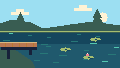
Open a live channel with Twish installed and activated. On desktop, select Share Twitch Identity & Continue and approve Twitch’s prompt. You use your Twitch account; there is no separate registration or download. During pre-release testing, Twitch may also require test access.
Move over the video to reveal the controls. Select Cast, then click a playable spot on the video to place your bobber. These are two separate clicks.

Wait a few seconds, then click inside the bite prompt. You have time to react, but the prompt eventually expires.

Hold inside the meter to lift your green catch zone. Release to let it fall. Keep the moving question-mark fish inside that zone. Use short holds and releases to follow it. Common fish in the Pond offer a gentler fight while you learn; tougher catches still take practice.
Fill the progress meter to land the fish. Your catch earns XP and goes into inventory. Its displayed coin value is what you get when you sell it.

You move the zone
The question mark keeps your catch a surprise until you land it. Progress fills while the marker is inside your zone and drains while it is outside. Use the “Get Ready!” period to position yourself. A nearly uninterrupted catch can earn a Perfect Catch XP bonus.
This is a diagram. The fishing meter is on the Twitch video.
If progress empties, the fish escapes. Overweight fish are harder to land and can snap your line. Later fish may briefly hide the zone or invert its effect during a special phase. Losing a fish does not erase your earlier progress.
Open the purple Full menu control on the video, or the panel below the stream. The Fish tab is your Fishdex: a record of species you have discovered. Items holds the individual fish you can lock or sell.
common
common
legendary
legendary
The launch collection has 135 obtainable species and 15 collectible trash items. Different waters hold different fish. Weight and stars make each specimen its own catch, and repeat catches reveal more Fishdex information. Selling a specimen does not erase its discovery.
As you gain experience, you can recognize common fish during reeling at level 21, uncommon fish at 31, and rare fish at 41. Legendary and higher species stay a mystery until landed. The meter border still hints at rarity. Gentle fish drift and weave; tougher fish mix in darts, feints, stepped runs, sustained pulls, and reversals. Watch for their pauses and recovery moments.
Lock a fish in Items to protect it from sales. Inventory holds 200 specimens; overflow handling sells eligible unlocked fish, so lock the ones you want to keep.
Sell an unlocked fish individually, or use the bulk controls for eligible unlocked fish. Coins let you improve your gear and explore farther.
Level, XP, coins, location, and derived stats are in Stats. Progress follows the same Twitch identity across participating channels. Streamer-themed items work only in the channel where they were redeemed.
Visit Shop for gear, then Equip to use what you own or have unlocked by level. Acquiring an item and equipping it are separate actions. Check the item’s modifiers and your updated stats after switching.
Start here · 5 kg rating

Level 8 · 200 coins · 15 kg
Discovered remote shops can be browsed, but ordinary area purchases require being there. You can play the core game and complete the launch collection for free. Some optional cosmetics and exact premium variants are exclusive to Bits.
Open Map, equip an owned boat, and select a destination. Check the route’s boat, level, and quest requirements. Boats are acquired through area shops. Arctic Sea specifically requires an equipped Icebreaker.
A peaceful pond. Perfect for learning the ropes.

Flowing water brings uncommon fish like Bass and Trout.

Deep waters hold rare freshwater prizes.

Where the ocean begins. Saltwater fishing starts here.

Murky wetlands. Mudfish, crawfish, and maybe an axolotl.

Deep blue waters. Big fish, big rewards.

Vibrant coral teeming with exotic species.

Piranha-infested waters beneath the canopy.

An oasis in the sand. Unique desert species thrive here.

The pressure is on. Rare+ territory.

Remote island. Home of the Enchantment Wheel.

Frozen waters. Requires an equipped Icebreaker to travel here.

Boiling waters. Legendary-heavy zone. Quest-gated.

The deepest dark. Mythic fish lurk here.

Beyond the abyss. The hardest fights await.

The ultimate endgame zone. Legendary/Mythic only.
Weather and time affect fishing, so the same place can feel different from one visit to the next. A rare fish is never guaranteed on a particular cast. Early access to a route also does not mean your rod can handle everything living there.
Check daily and weekly objectives in Quests. Zone quests are learned from NPCs you encounter and accepted at their giver. Make matching catches after accepting a quest to advance it. A distinct-species objective needs different species; repeats and earlier Fishdex entries do not count toward it. The final Citadel quest needs five distinct mythic fish available before entry.
Some casts bring up a relic instead of a fish. Relics enter relic inventory and can be used for enchantments or trades with the traveling merchant. The merchant appears periodically; inspect the current offers and their costs before trading.
The Enchant tab appears after you arrive on the Isle. It is hidden elsewhere and while traveling.
The wheel uses gameplay relics. It is separate from the Bits checkout.
Open Bits Shop to see the current products, amounts, and restrictions. Choose Preview to inspect a cosmetic before using Bits. Rod skins and cast/catch effects use their actual animated renderers; the aquarium and title have static previews. A preview does not grant or equip an item.
Redeem personal gear or bait, then equip it in Equip. Activate potions from Items. Select owned skins, effects, backgrounds, and titles under Settings → Cosmetics. Cosmetics change appearance; sound and volume preferences are available to everyone.
+20% rare spawn, +10% catch zone per cast. Pack of 3.
Personal item

+15% legendary spawn per cast. Pack of 3.
Personal item

+5% mythic spawn, +20% catch zone per cast. Pack of 5.
Personal item

+15% legendary spawn per cast, with a splash in this channel's colors. Pack of 3. Only usable in this channel.
Bound to the originating channel

Rod in this channel's colors: +8% catch zone, 15 KG max weight (starter-tier). Permanent. Only usable in this channel.
Bound to the originating channel · Permanent

Glowing line in this channel's colors, +5% catch zone. Permanent. Only usable in this channel.
Bound to the originating channel · Permanent

+5% coin bonus on all catches. Permanent.
Personal item · Permanent

Ribbon streamers on your rod in this channel's colors, +3% XP bonus. Permanent. Only usable in this channel.
Bound to the originating channel · Permanent

Fire-themed rod skin. Permanent.
Personal item · Permanent

Frost-themed rod skin. Permanent.
Personal item · Permanent

A galaxy rod skin with drifting stars around the rod. Permanent.
Personal item · Permanent

Reskin any rod in this channel's colors. Permanent. Only usable in this channel.
Bound to the originating channel · Permanent

Sparkle particles when you cast. Permanent.
Personal item · Permanent

Lightning crackle on cast. Permanent.
Personal item · Permanent

Confetti burst on rare+ catches. Permanent.
Personal item · Permanent

Deep-sea aquarium backdrop for your Fishdex (Collection tab). Permanent.
Personal item · Permanent

"Kraken" title displayed by your name in Twish. Permanent.
Personal item · Permanent

+5% coin bonus. Permanent.
Personal item · Permanent

Pennant bobber in this channel's colors, +2% XP bonus. Permanent. Only usable in this channel.
Bound to the originating channel · Permanent

+5 Skill, +3 Dexterity for 5 casts.
Personal item

+25% coins, +15% XP for 10 casts.
Personal item

+rare spawn for ALL players in the channel for 5 minutes.
Channel-wide activation

2x XP for ALL players in the channel for 10 minutes.
Channel-wide activation

Starts a free-entry 15-minute fishing tournament for this channel. The angler who redeems the Bell cannot score or win its prizes.
Channel-wide activation
Select Gift on an eligible item, choose a linked recipient, check the recipient’s name, and confirm with Twitch. The recipient receives a new item directly. Existing owned items cannot be transferred. Self-gifting, recipient opt-out, and already-owned permanent items are checked; channel-bound gifts keep their channel restriction. Channel-wide activations cannot be gifted.
A completed Twitch redemption should recover after a reconnect or reload. A pending checkout keeps its reference and intended recipient. Do not redeem again just to retry delivery. If an item stays missing, contact dev@twish.fish with the channel, time, product, and transaction reference, if available.
Use I closed checkout without completing only for an unpaid checkout whose Twitch dialog is closed. Confirm the second prompt; Twish checks the transaction state before allowing a new checkout. Availability depends on Twitch’s product list and the account, channel, and client you are using.
There is no entry fee or Join button. Qualifying catches made in the channel during the event automatically score. Follow the overlay’s event notices and standings.
A Tournament Bell sponsors a 15-minute event. The Bell redeemer cannot score or receive prizes in that event, but can take part in events sponsored by other players. A free broadcaster-started tournament does not exclude its starter. Players bring their current gear, progression, and active bonuses; loadouts are not standardized. Prizes are in-game rewards, and the champion title is permanent.
Stream Chum changes rare-spawn modifiers for five minutes. Golden Hour grants the channel 2× XP for ten minutes. Repeating the same boost extends its duration instead of multiplying its strength. Broadcasters can disable buffs or restrict tournaments. Read the shop’s stated fallback before confirming; if an activation cannot proceed, Twish delivers the advertised personal-item fallback and tells you what was delivered.
Streamer Bait is grouped under Channel Boosts, but it is personal bait for three casts in that channel. It does not buff everyone.
On Twitch iOS or Android, open Twish in the chat-area extension view. The mobile panel provides inventory, equipment, the Fishdex, map, settings, and supported Bits flows. The interactive fishing meter is desktop-only.
If the broadcaster has connected and enabled the Twish bot, you can fish through chat on desktop or mobile. !fish resolves an attempt automatically using your gear, bait, progression, and cooldown. There is no hold/release meter for a chat attempt.
!fish!stats!leaderboard!leaderboard weekly!showoff!twishWithout the broadcaster’s bot connection, the mobile panel has no casting action. Installing the extension and sharing viewer identity do not connect the broadcaster’s chat bot.
Sound starts muted. Players can adjust sound and volume without Bits. The panel and backend can operate while you are offline; viewers need a live video for overlay fishing. Non-command chat messages are ignored and not retained as chat logs. See the privacy policy for recognized-command metadata handling.
Check that the channel has the right extension version activated and is live. During testing, check Twitch access. Hover over the desktop video, share your identity, and check whether controls are hidden or on cooldown. The broadcaster’s mode or quiet hours may suppress the overlay. Cast is on the video, not in the management panel.
Open Equip and switch back to worms. Free worms replenish at one every 20 seconds, up to 30. Bait is used for each cast, including failed attempts.
Check the route’s level, quest, and boat requirements, and equip your boat in Map. Travel advances through casts. Enchant appears only after arriving on Enchantment Isle, and disappears when you leave.
Allow the connection to recover before another attempt. Accepted results can be retried without creating duplicate rewards. A minigame that was never submitted cannot resume after a reload. Report an unresolved result with the channel and time.
Read the shop’s availability explanation and check the account, channel, and product configuration. After a completed redemption, reconnect or reload and give recovery time to finish. Keep the transaction reference and contact us if it stays unresolved. Do not redeem the item again to retry delivery.
Email dev@twish.fish with the channel, what happened, and the approximate time. Include the product or catch reference if you have one. Never send account passwords or secrets.